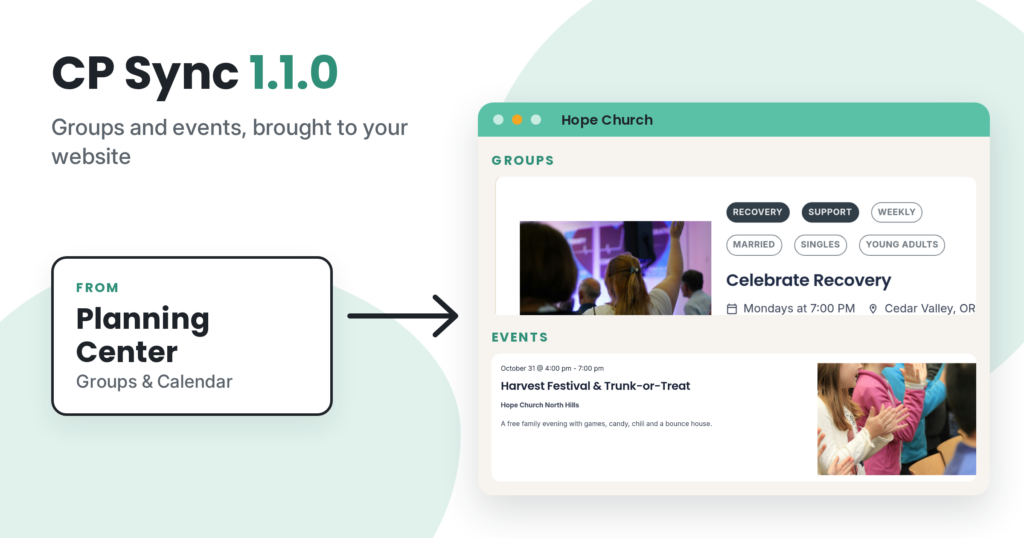
CP Sync 1.1.0 is out. It brings your group leaders over from Planning Center and fixes a few things that could trip up a sync. If you’re new to CP Sync, or haven’t looked at it since sermons were added, there’s a short refresher at the end.
Group leaders from Planning Center
Your Planning Center group leaders now come across to CP Groups, along with an email for each group. Visitors browsing your groups can see who leads each one, and you don’t have to type leaders in by hand anymore.
If Planning Center has trouble sending the leader list during a sync, the leaders already on your site stay put.
Fixes in this release
- Your group filters stay safe. If Planning Center has a hiccup while sending your groups or tag groups, CP Sync now stops the groups sync and notes it in the log. Before, it could treat the hiccup as “nothing there” and remove your group types and tag filters. Events and sermons still sync in that same run.
- Church Community Builder (CCB) groups are no longer all marked full. CCB groups that have room now show that they have room.
- CCB settings save on more hosts. Saving, disconnecting or loading your CCB login no longer fails on some hosting setups.
- Syncs run only when they should. A sync runs on your schedule, or when you click a Pull button in the settings. Nothing else starts one.
A quick refresher: what CP Sync does
CP Sync brings information from Planning Center or CCB into your WordPress site, so you keep it up to date in one place. It only copies in one direction, into your website. It never changes anything in Planning Center or CCB.
- Groups and events. Groups go into CP Groups, and events go into The Events Calendar. You’ll need those plugins installed first. Until they are, that sync shows as off, with a note naming the plugin it needs.
- Sermons from Planning Center. If you publish sermons in Planning Center Publishing, CP Sync can bring the episodes in your Church Center library into CP Sermons, with series, speakers, video, audio and artwork. Sermon sync is for Planning Center only, it’s off until you turn it on, and it needs CP Sermons 1.7.0 or newer.
- Pick what comes in. Filters on the Groups, Events and Sermons tabs let you choose which groups, events and sermons are imported. Events from Planning Center Registrations can be limited to the categories you choose.
- Tag groups become categories. In Planning Center, a tag group is a set of labels you put on groups or events. The tag groups you pick become categories on your events, and extra filters on your groups page.
- Choose how often it runs. CP Sync checks for changes hourly by default. You can switch that to daily or weekly, or click Pull Now any time you want an update right away.
- Keep your own edits. Because the sync only goes one way, changes you make on your website to an imported item get replaced on the next sync. If you want to keep your changes on a particular group, event or sermon, check Prevent sync from updating this post on its edit screen.
For the details of what goes where, see the CP Sync data mapping docs, or take a look at the CP Sync product page.
How to update
- In WordPress, go to Church Plugins → CP Sync → License and check that your license key is active.
- Go to Dashboard → Updates and update CP Sync.
If the update doesn’t show up, you can install it by hand instead. Download the new CP Sync files from your account page on churchplugins.com. Then go to Plugins → Add New → Upload Plugin, upload the zip, and choose to replace the current version. Can’t find the files? Contact support and we’ll send them.
A quick backup of your site before you update is always a good idea.
Full changelog: CP Sync changelog