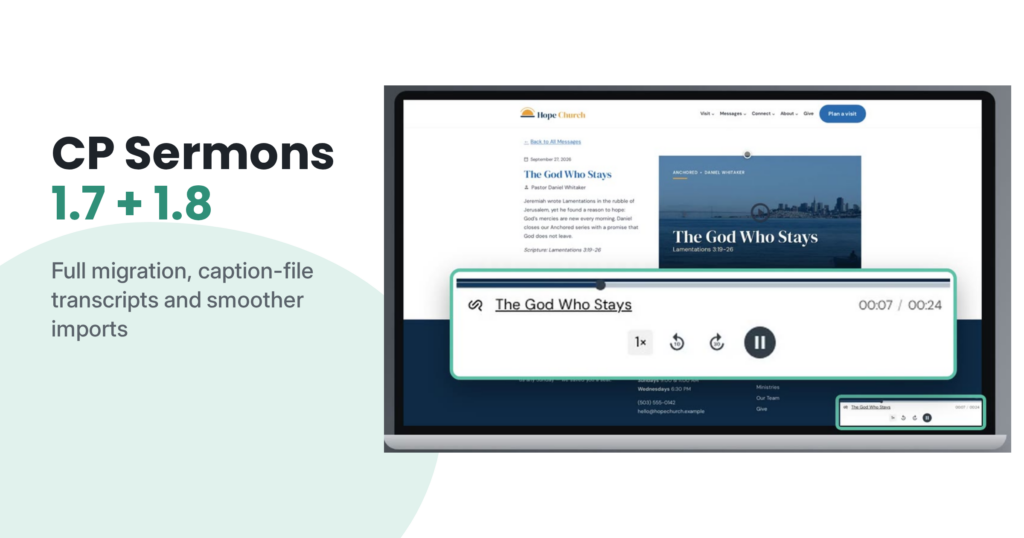
CP Sermons has had two releases this fall. Version 1.7 makes it easy to take your sermon library to a new site, and version 1.8 adds caption-file transcripts and smooths out imports from SermonAudio and YouTube. Here’s everything in one place.
Move your whole sermon library in one step (1.7)
Moving to a new website? You no longer have to rebuild your sermon archive by hand. The new Full Migration tool puts everything in one file:
- Sermons, with their variations, timestamps, transcripts and downloads
- Series and speakers
- Service types
- Templates
- Your topics, scripture and seasons
- Your plugin settings, only if you tick that box
You’ll find it under Series → Tools → Import/Export, in the Full Migration Export and Import boxes (your menu may be named differently).
On the new site, upload the file and keep the page open while it imports in small batches. If it’s interrupted, click Resume Import. Importing the same file again updates your content instead of duplicating it.
For developers: very large libraries can be moved from the command line with wp cpl export and wp cpl import.
Coming from Sermon Manager instead? See how to switch from Sermon Manager.
Transcripts from caption files (1.8)
If you already have captions for your sermon video, you can now upload the caption file (a .vtt or .srt file, the kind YouTube or your video editor can export) straight into the sermon’s Transcript box. CP Sermons strips out the timestamps and leaves just the text.
YouTube transcript import works again, too. YouTube changed how it serves captions, and CP Sermons has caught up. If a transcript still can’t be fetched, the sermon edit screen tells you and suggests uploading a caption file or pasting the text. Short youtu.be links, Shorts, and links with extra bits on the end are all recognized now.
Smoother SermonAudio imports (1.8)
- Sermons now import with their full title when SermonAudio has one, instead of the shortened version. Sermons you’ve already imported pick up the full title the next time they’re fetched, and published sermons keep their web address.
- Sermons that aren’t part of a series are now included.
- SermonAudio audio downloads instead of opening in a browser tab.
Scripture references that stick (1.8)
References written as “Psalm 23”, “Ps 23”, “1 Cor 13” or “First Corinthians 13” are now recognized and saved, whether they come from a SermonAudio import, a CSV import, or typing them into the sermon editor. “Psalm 23” is saved as “Psalms 23.”
Podcast artwork Apple will accept (1.7)
Series, Speaker and Service Type podcast feeds now send your full-size featured image as artwork. Before, a small thumbnail under Apple Podcasts’ size minimum could get your artwork rejected.
Smoother playback (1.7)
The Listen button now plays on the first click, including in Safari and on iOS. Video stays in the sermon’s main area after someone plays the audio, and embedded SoundCloud or Spotify audio shows there again. Want to see the player in action? Take a look at the sermon player.
Other improvements
- Downloads work the way you’d expect (1.8). The Download button in the share menu now downloads audio hosted on your site instead of opening it in a tab, and the file keeps its own name.
- Sermon pages with filters work again (1.8). If you show your sermons on a page using the CP Sermons shortcode (a short code like
[cp-sermons]you paste into a page to display your sermon list), filtering or searching no longer leads to a “page not found” error. - Unpublished sermons stay private (1.8). Unpublished sermons and sermon exports are now only available to people who should see them.
- Series and Speakers save reliably (1.7). Assignments save and clear the way you’d expect, and a one-time cleanup runs when you update to remove stray commas in speaker lists and double-listed sermons.
- Emoji titles save (1.7). Sermons with an emoji in the title now save on sites with older database tables.
There’s more in both releases, including fixes for WP All Import, sermon variations and listening stats. See the full changelog for everything.
How to update
Go to Dashboard → Updates in WordPress (CP Sermons is listed as CP Sermon Library). Updates need an active license key. A quick backup first is always a good idea.
Learn more on the CP Sermons product page.