CP Staff 1.2.1 is here — with major upgrades for managing your church team
We just pushed version 1.2.1 of CP Staff, and it’s a big one. This release brings several highly requested features that make it easier than ever to organize and display your church staff in a way that’s both beautiful and functional.
Here’s what’s new:
Staff Archive Page
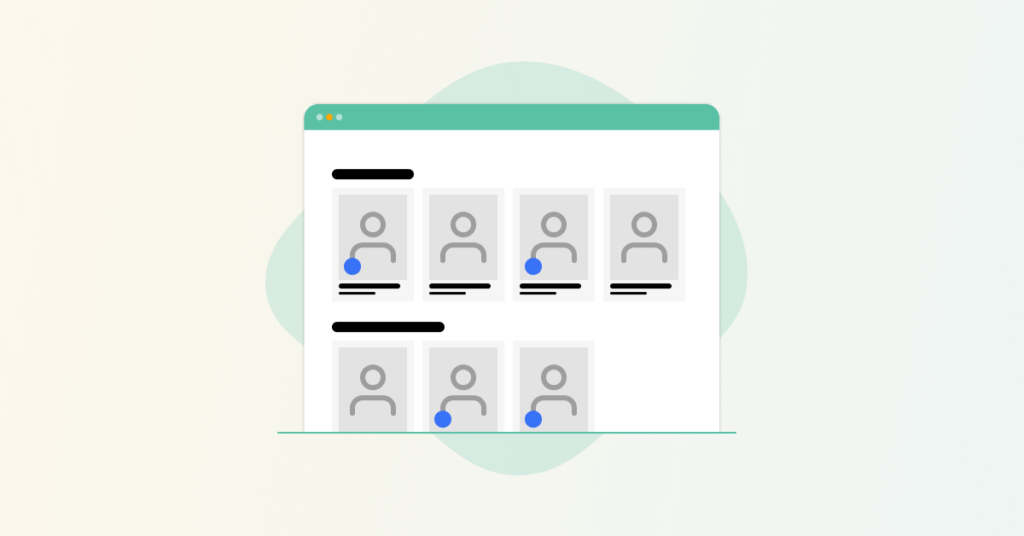
No more manually creating a page to list your team. We’ve added a built-in archive view at /staff/ that automatically displays all staff members, grouped by department. It’s a clean and modern layout designed to work out of the box.
Better Staff Profiles
Staff members can now include social media links, giving your congregation an easy way to connect across platforms.
One-Click Contact Buttons
We added optional email and phone buttons right on the staff cards. With a single tap or click, people can reach out directly.
Smarter Card Interactions
The staff cards have been updated with more intuitive hover and click behavior, making browsing your team feel smooth and natural.
Hierarchical Departments
You can now nest departments under parent departments, and they’ll show up properly grouped on the archive page.
Advanced Staff Ordering
You now have full control over the order your staff members appear. The default sort is by menu order, then by name. For the best experience, we recommend using Simple Page Ordering and WP Term Order.
New Customization Hooks
We’ve added more flexibility for developers and designers:
- Department wrapper classes for styling different levels of the hierarchy
- Filter hooks for customizing department output and order
- Options to adjust heading levels and appearance in the archive view
Updated Documentation
We’ve overhauled our docs to make it easier to set up and customize your directory, including:
- Step-by-step setup instructions
- Hierarchical department examples
- CSS snippets for styling
- Custom code examples for power users
How to Upgrade
- Back up your site (always a good idea).
- Update CP Staff via your WordPress dashboard or download the latest version from churchplugins.com.
- Double-check your staff archive and templates—especially if you’re using template overrides—to ensure everything displays as expected.
We’re committed to making CP Staff the most flexible and easy-to-use staff plugin for churches. As always, if you hit a snag or have feedback, reach out to support—we’d love to hear from you.