
Launching early December
A church website you can set up yourself.
Steeple is a free church theme for WordPress, and CP Essentials is its free companion plugin. A short guided setup walks you through your church’s details, the look, and your pages and menu, with no developer needed.
- A short guided setup, no developer needed
- Four styles and your brand color
- Every step saves as you go
- No limit on sermons, events, groups or staff
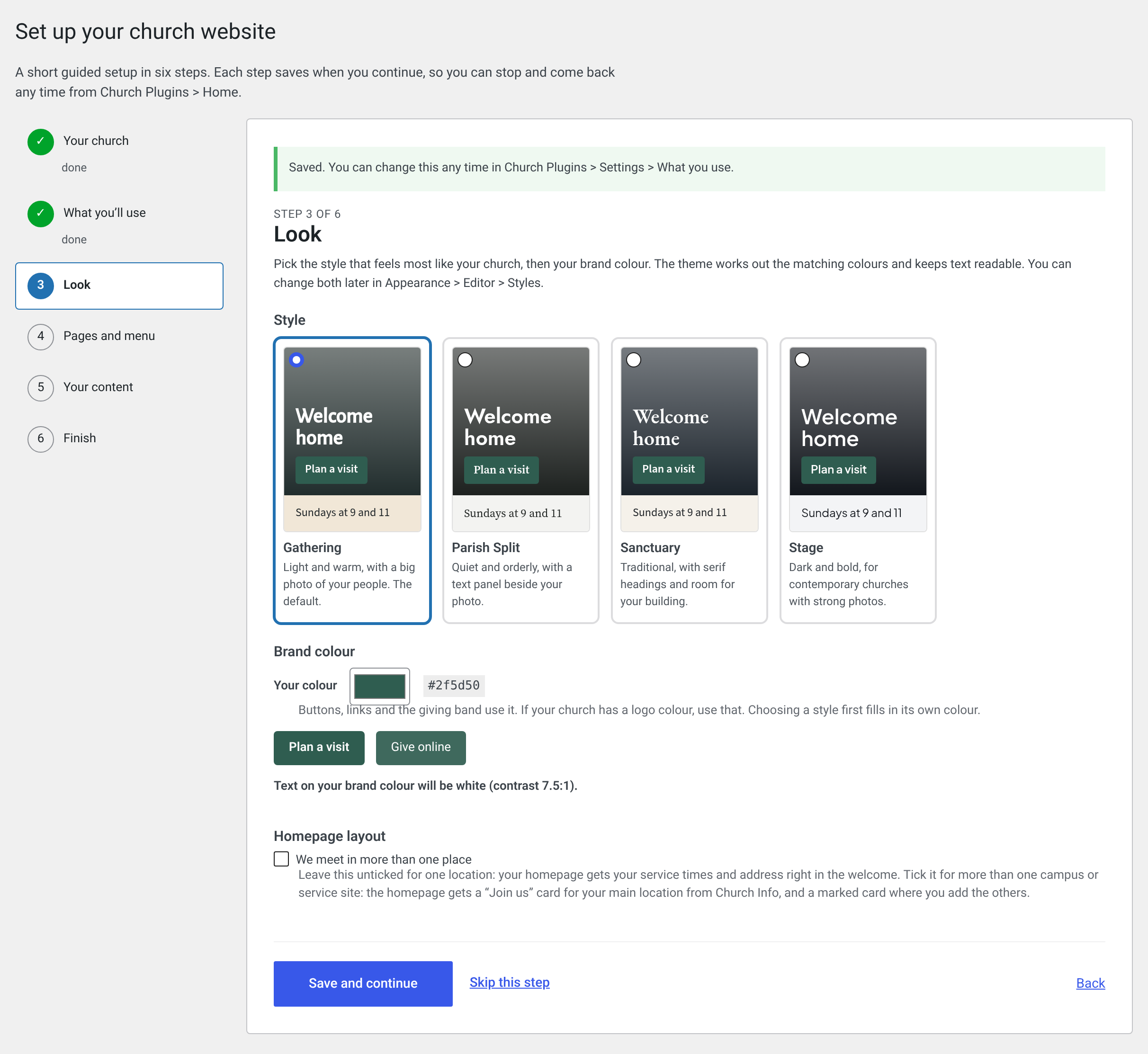
Four styles. Pick the one that feels like your church.
Each style comes with its own homepage. Change one brand color and the buttons, links, footer and giving band follow.
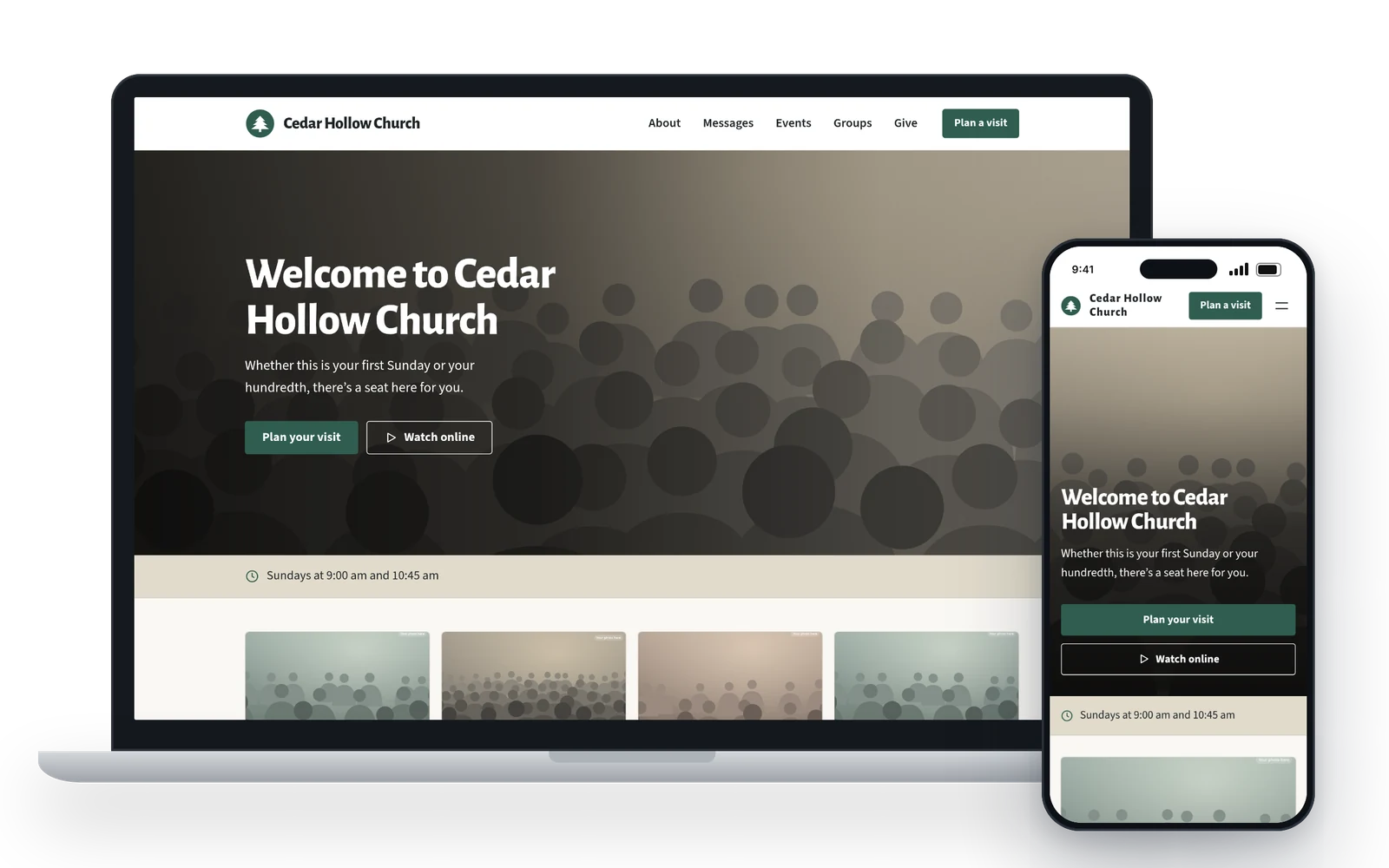
Gathering
Light and warm, with a big photo of your people.
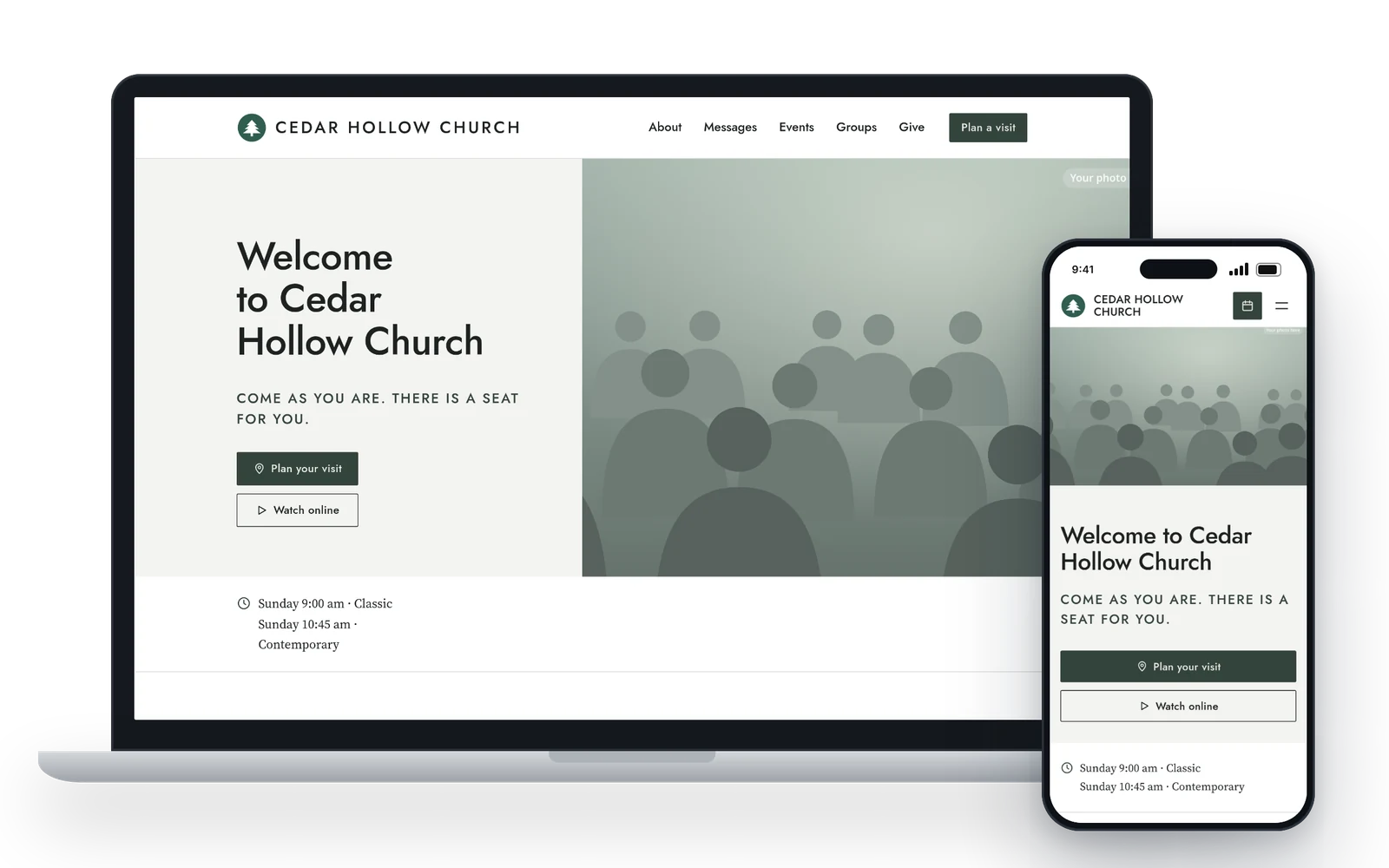
Parish Split
Quiet and orderly, with a text panel beside your photo.
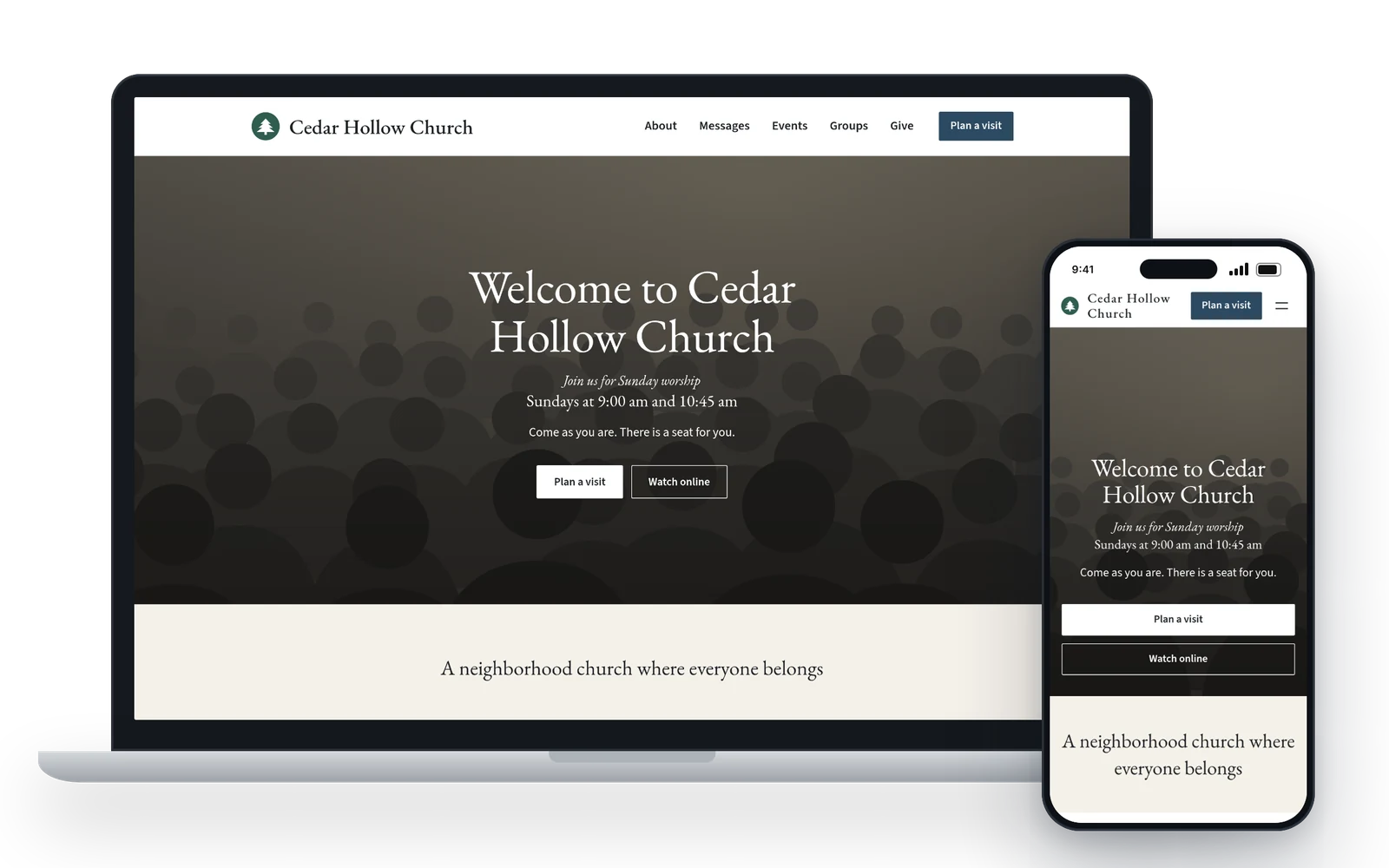
Sanctuary
Traditional, with serif headings and your service times right in the welcome.
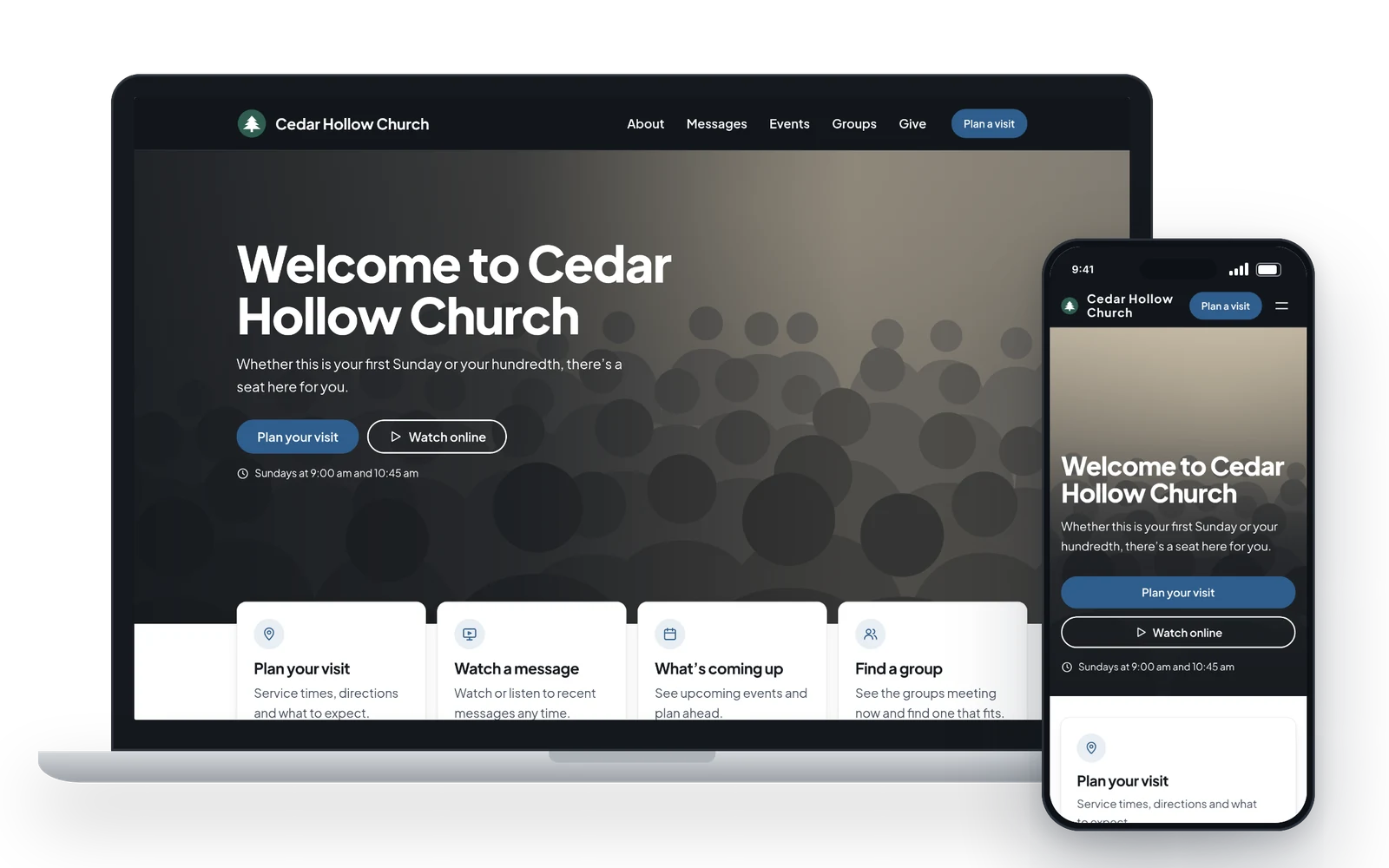
Stage
Dark and bold, for contemporary churches with strong photos or video.
Three steps to a working church website
1. Pick a style
Choose one of four looks and your church’s color. Steeple works out the matching colors and keeps text readable, and you can undo it if you change your mind.
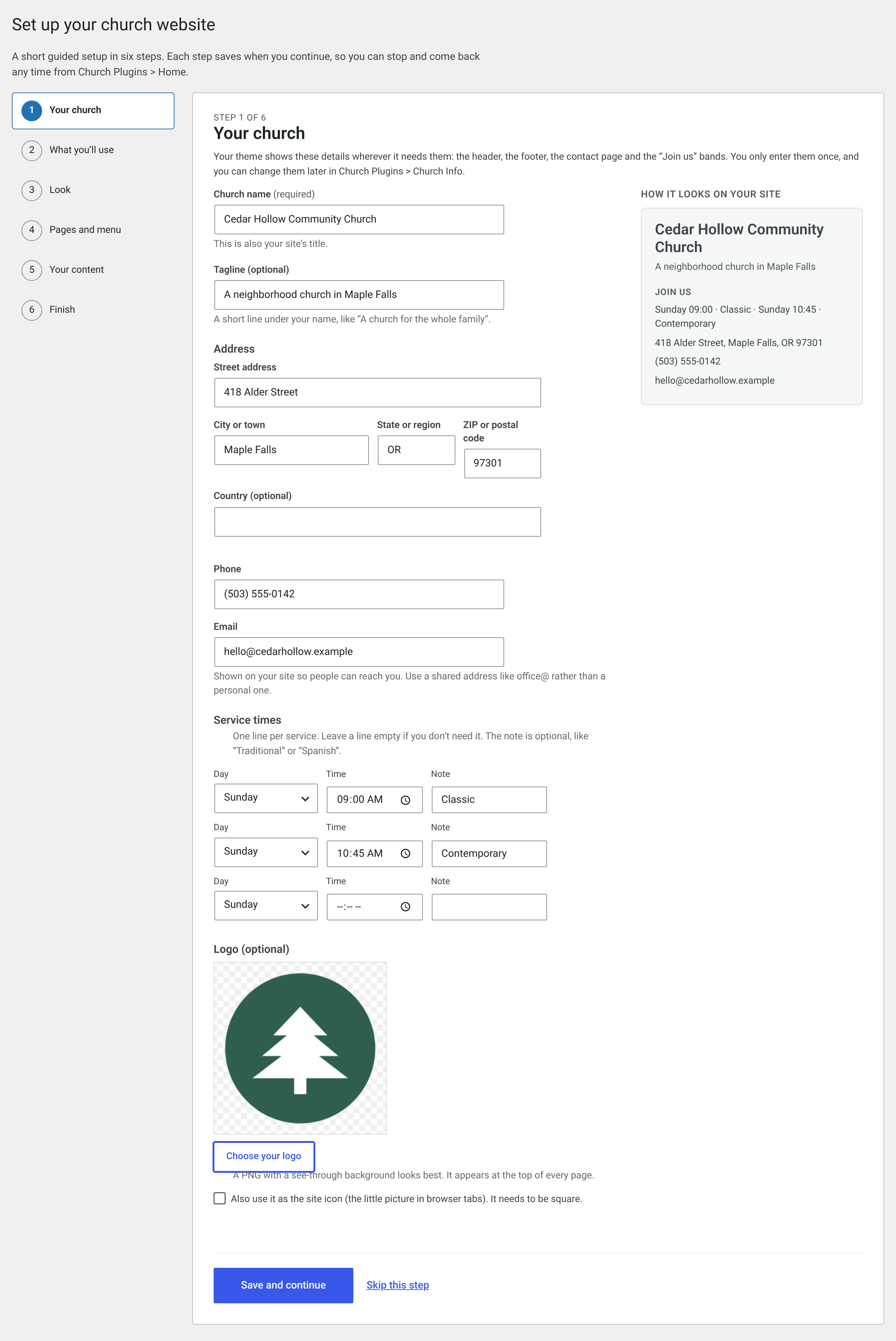
2. Answer the setup questions
Type in your church’s name, address, service times and logo once. CP Essentials puts them in your header, footer and contact page, then creates your Home, Plan a visit, About, Give and Contact pages and your menu.
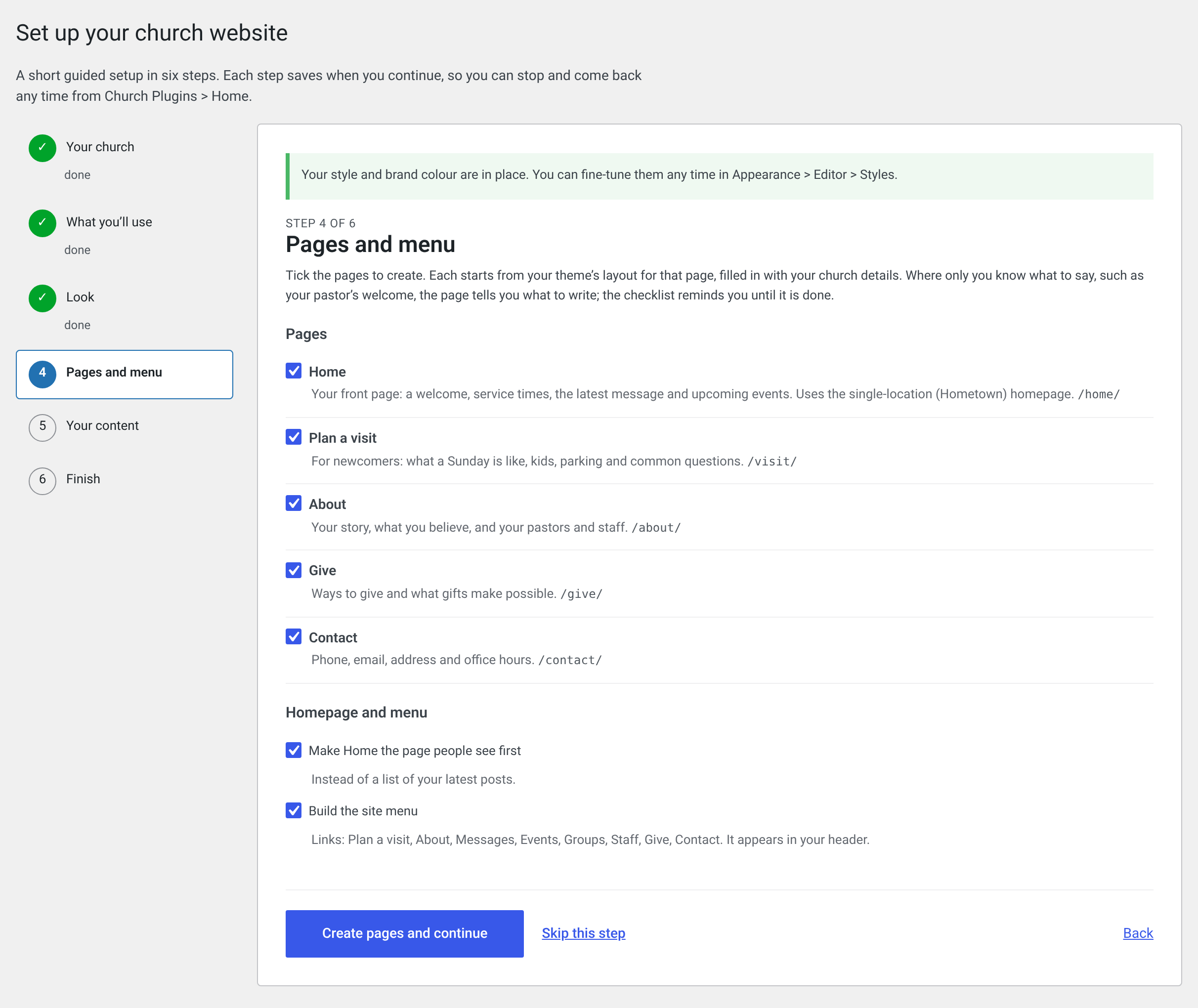
3. Finish setup
When you finish, your pages and menu are in place. You can start with sample content or bring sermons over from another plugin, and a Home checklist shows what’s left to do.
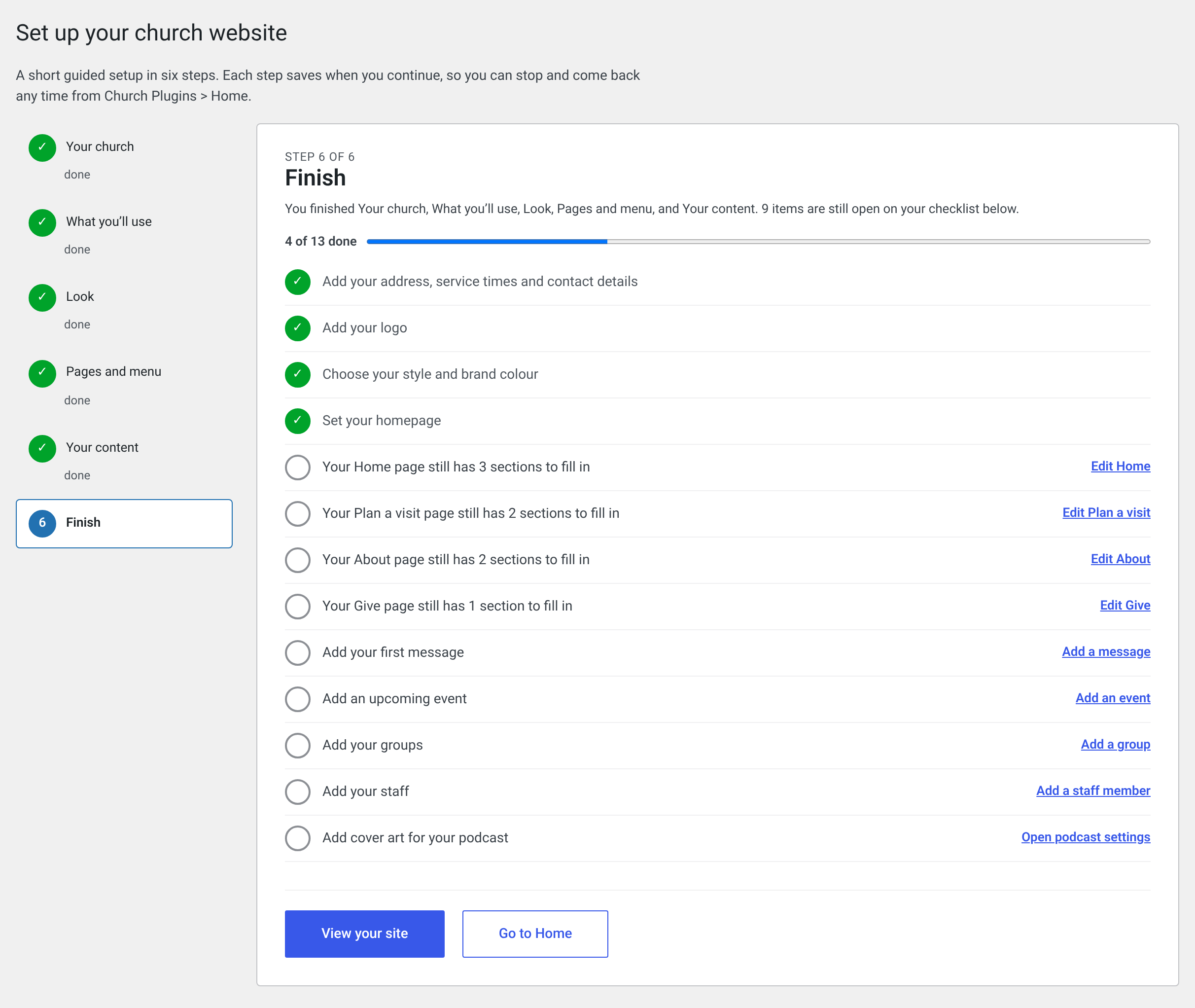
Every step saves as you go. You can skip a step and come back to it later.
Everything a church site needs
CP Essentials adds the content your theme expects, plus the screens to edit it.
Sermons and podcast
Video, audio, notes and Bible passages, grouped in series, with one podcast feed ready for Apple Podcasts and Spotify.
Events and calendar
Upcoming events as a list or a month calendar, with directions and an “Add to calendar” button.
Groups
Meeting day, time and place, leaders and a sign-up link, with leaders’ email addresses kept private.
Staff
Photo, role and bio for each person, grouped by department.
Plan a visit
A ready-made page for first-time guests, with your service times and address filled in.
Give
A Give page and “Give online” buttons that link to your church’s existing giving page.
Manage it without a developer
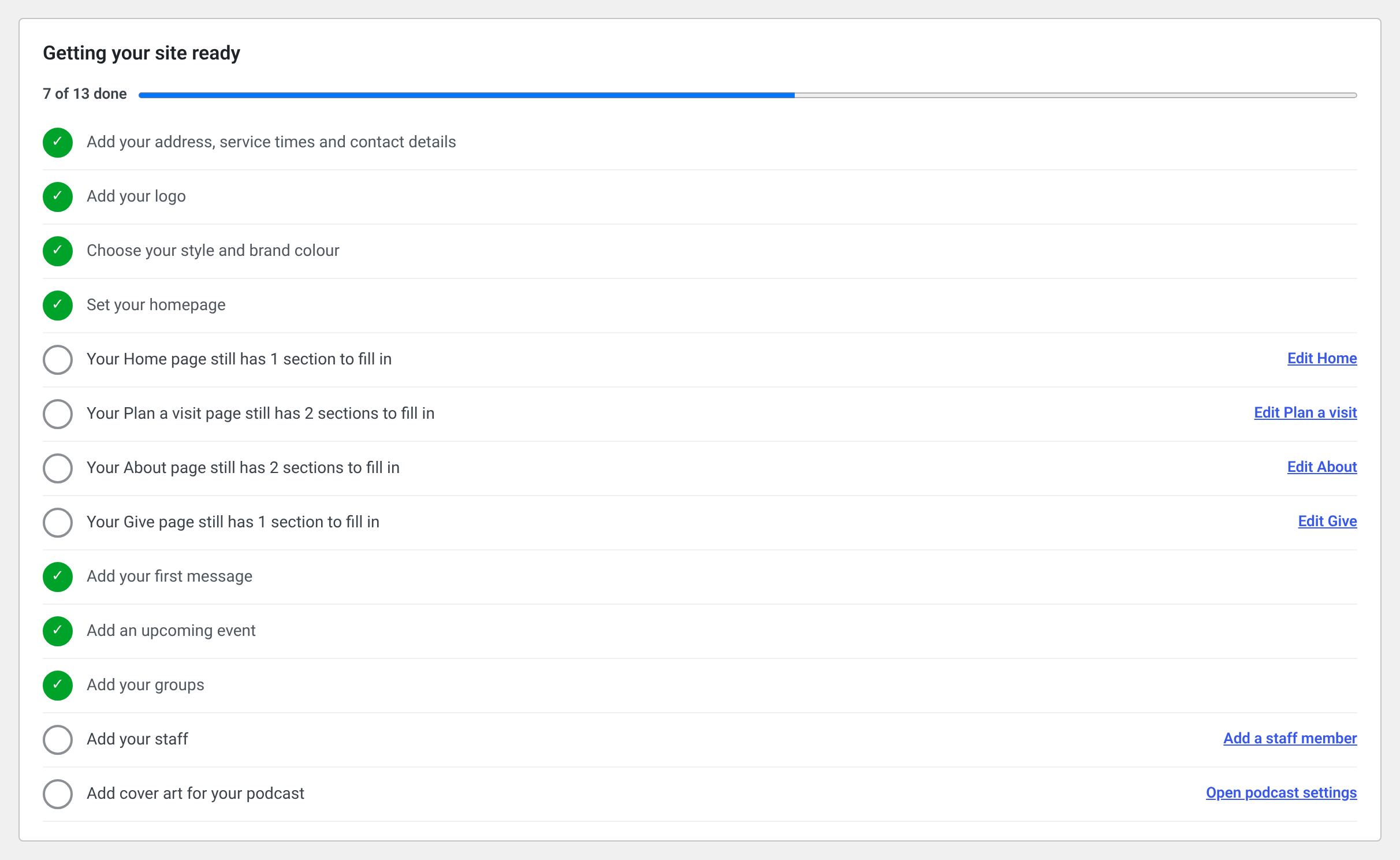
Your to-do list, worked out for you
The Home screen shows what’s left to do, such as adding your logo, writing your Plan a visit page or adding your first event, and ticks each item off as you go.
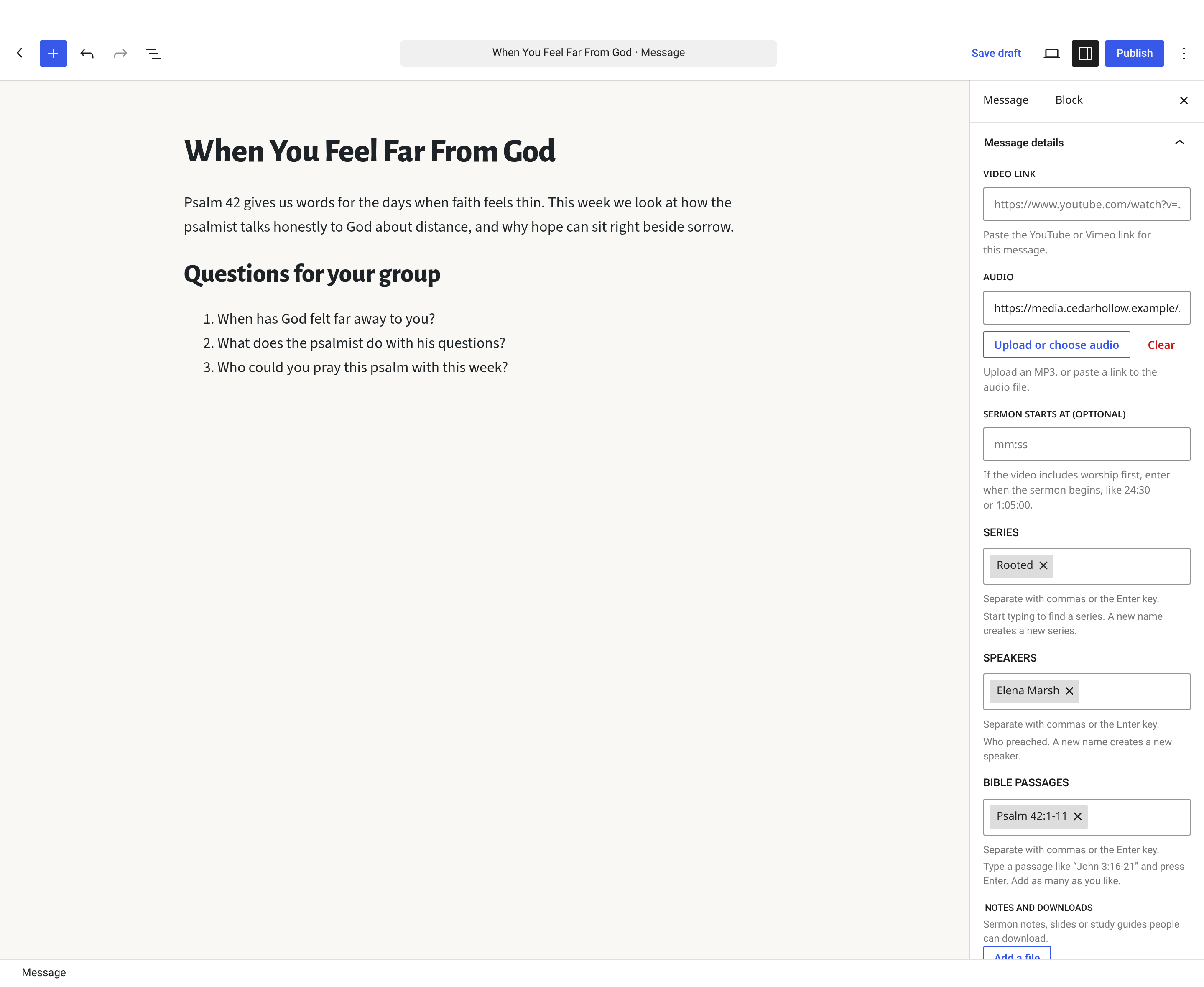
Adding a sermon is one screen
Fill in the title, add a YouTube or Vimeo link or an audio file, pick the series and speaker, and publish. Series, speaker and Bible book pages update on their own.
Your church’s address and service times live in one place (Church Info). Change them once and every page that shows them follows.
Free, with extras when you want them
Steeple and CP Essentials are free, with no limit on how many sermons, events, groups or staff you add. Our paid plugins add extras on top, such as a player that keeps playing while people browse your site, sermon transcripts, play counts for each sermon, SermonAudio import, events and groups from Planning Center or CCB, and a location finder for churches with more than one campus.
Launching early December
Be the first to know when it’s ready.
We’ll email you when Steeple and CP Essentials are available, plus occasional updates. No spam, and you can unsubscribe any time.
Questions
Is it really free?
Yes. Steeple and CP Essentials are free. Nothing in them is locked or limited. Our paid plugins are separate and optional.
Do I need a developer?
No. The guided setup walks you through your church’s details, the look, your pages and menu, and your content. You’ll need a WordPress site to install them on.
Can I bring my sermons over from another plugin?
Yes. CP Essentials brings sermons over from Sermon Manager and Church Content: series, preachers, topics, Bible passages, audio, video, notes and images. You can preview first, and your old sermons are not changed. It also brings sermons over from Series Engine; check your sermons afterwards, and contact us if anything looks off.
How do I get my sermons onto Apple Podcasts and Spotify?
CP Essentials makes one podcast feed for all your sermons that have audio. Add your podcast details and cover art under Church Plugins > Settings > Podcast, then submit your feed address to Apple Podcasts and Spotify, once for each.
Will it be on WordPress.org?
That’s the plan. We expect to make it available here on churchplugins.com first, because the WordPress.org review can take a while. We don’t have a date yet.
Want to know when it’s ready?
Leave your email and we’ll let you know, plus the occasional product update. Unsubscribe any time.
Get notified